Docs · Safety
Check your account on Hyperliquid
2 steps. Your money is in your own Hyperliquid account.
Step 1 · Log in to Hyperliquid with your wallet
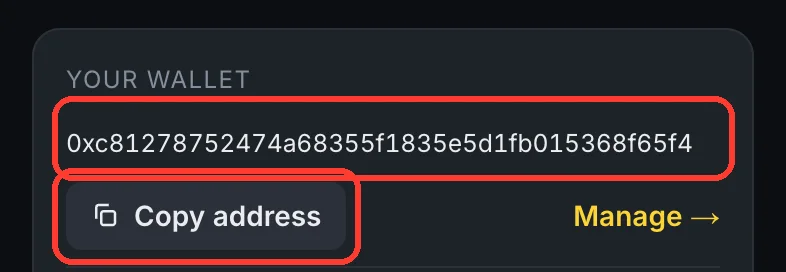
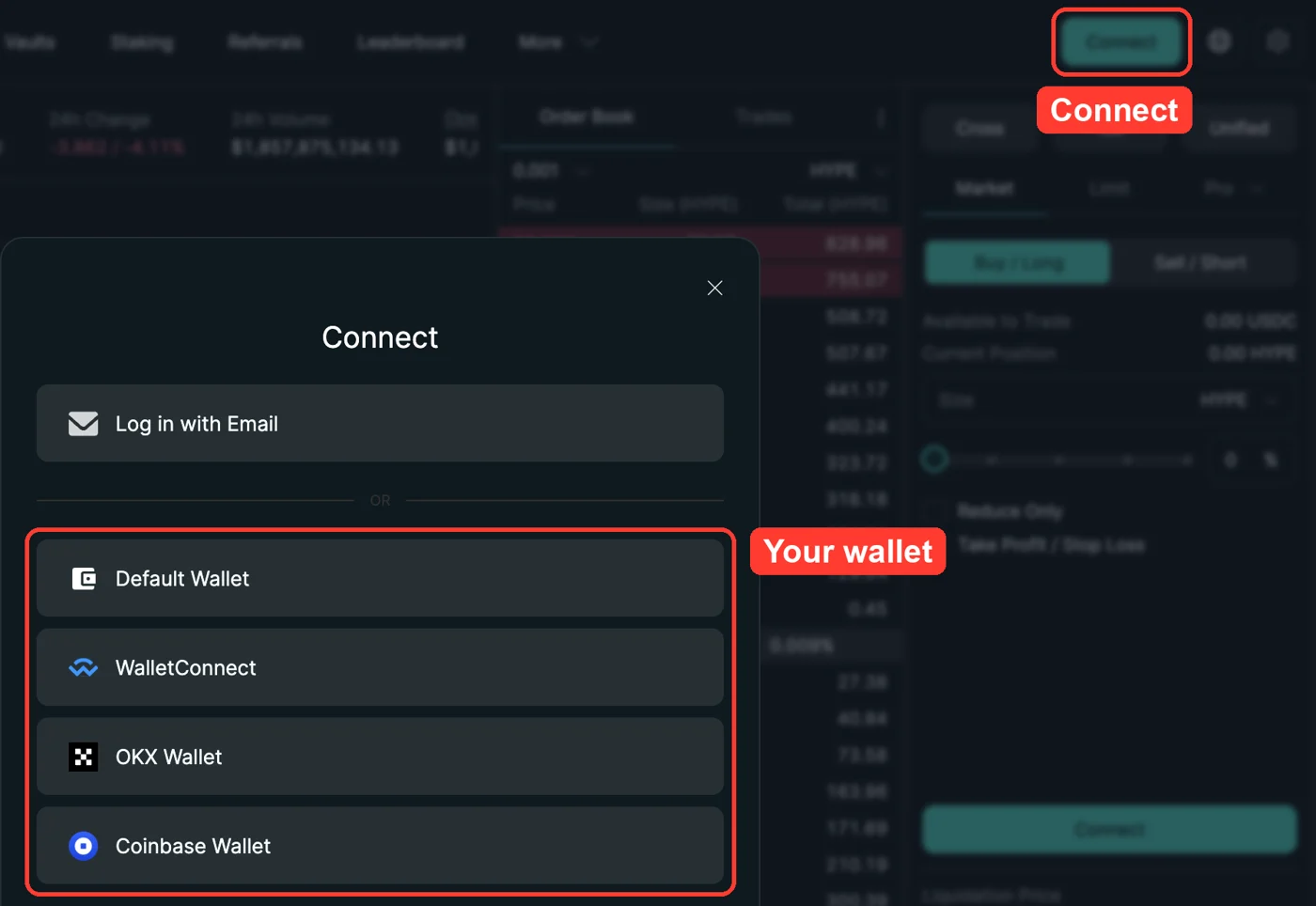
Your wallet address is on your Account page. Open app.hyperliquid.xyz, tap Connect and pick that same wallet.
Step 2 · See your balance and orders
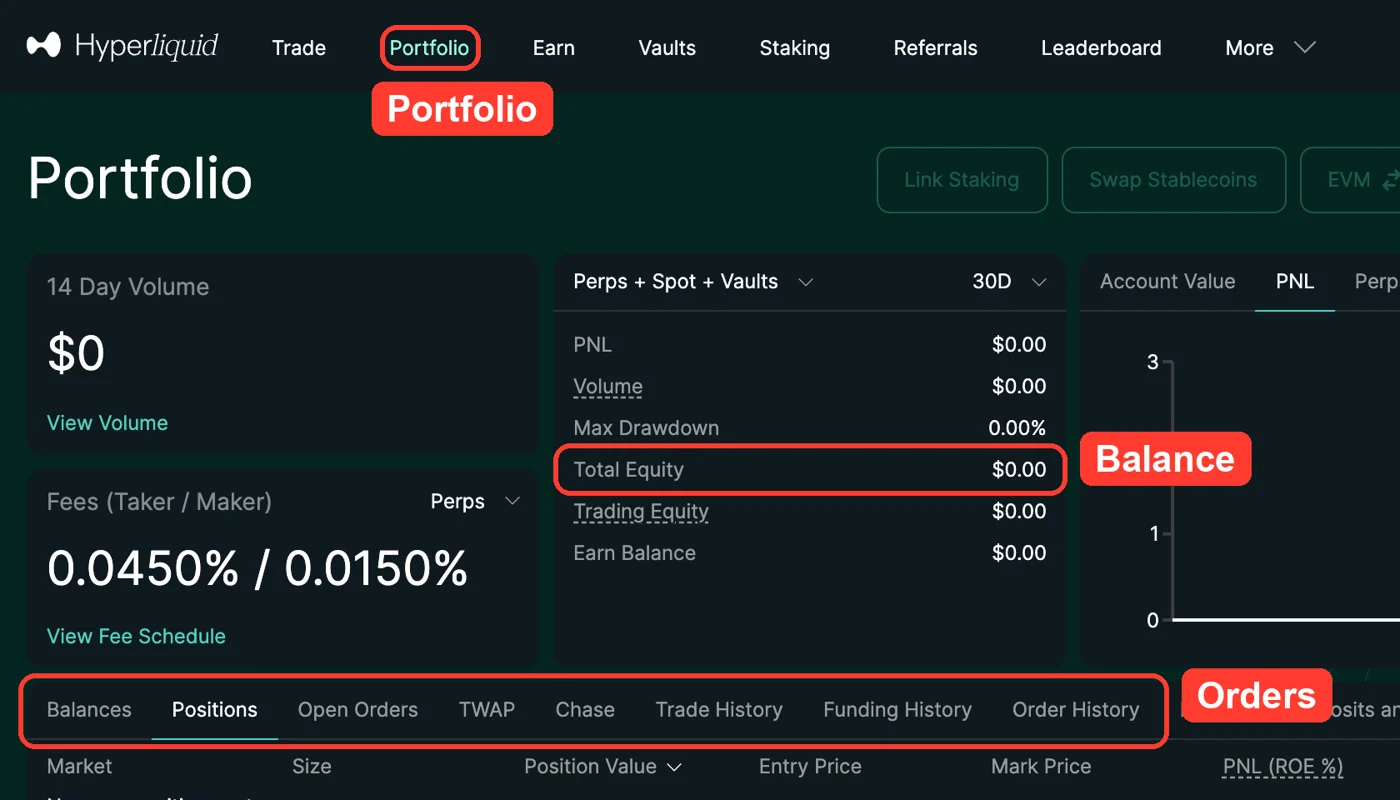
Tap Portfolio. Your balance is Total Equity. Your orders are under Positions and Order History.
Read next
Your copy permissionTo copy, you give MrCopyTrading permission on Hyperliquid, once. We use it only to copy trades for you. We can never withdraw. Remove it any time.Is MrCopyTrading safe?Your money stays in your own Hyperliquid account. We can only copy trades for you and never withdraw. Big, checked companies hold the money, and 5 outside checks back our site.Trading and copying can lose money. Past results do not promise future results.